How to Avoid Virtual Interview Fails
Aleksandr Davydov/123RF.com
No matter where in the country (or world) you may be, there is a high chance that by this point in 2020 you have had to engage in a web-based meeting as part of your professional life. For those of us who are fortunate enough to have sustained employment during this global pandemic, life at home and work has adapted to the needs of a society that can no longer congregate in groups indoors. For most workspaces, hospitals included, this means meetings, lectures, and most importantly, job interviews, have gone online.
For graduating healthcare providers it will be important to optimize your plan for online interviews, especially since it does not seem like life will be changing back to in-person anytime soon. Going online for interviews has its pro’s and con’s, like any major change, but being prepared and anticipating any issues that may ensue ahead of time will help to ensure success. Even though it’s on a screen, the first impression you make via the interview can make all the difference.
Test Interview Connectivity Before Your Interview
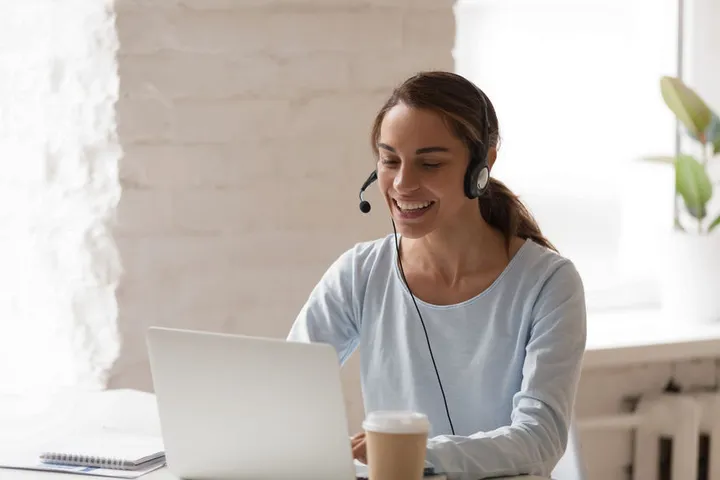
One of the biggest “fails” of online meetings is encountering a software or connectivity problem. Despite the fact that most of us have reliable high-speed internet, there always seems to be some issue that pops up and complicates a meeting, right at the time when it’s least convenient. Not to mention many prospective employers may not be all that familiar with online meeting software, which can be a recipe for frustration. What you can do to make sure everything runs smoothly on your end is to make sure not that just your Internet is working, but that the microphone and speaker on your computer of choice is also glitch-free. Most professional meeting software have built-in ways to test your sound and mic ahead of a meeting, and this is strongly encouraged. Using a headset or headphones with built-in mic is also advisable since it will ensure for crisp sound and lower the chances of ambient background noise causing sound glitches.
Double-check the Interview Platform in Advance
Additionally, make sure that whatever platform being used (WebX, Skype for Business, Zoom, etc.) is also downloaded and functioning on a second device prior to the interview. Knowing that in the event of a computer glitch or internet issue you can quickly switch over to a phone or tablet will give your peace of mind. Make sure sound and mic are also working on this device.
Carefully Choose the Physical Location of Your Virtual Interview
Plenty of jokes have been made about the background of at-home reporters and politicians who have had to virtually conduct interviews which are later televised. The area of your home or work where you conduct your interview matters, and things like lighting, risk of ambient sound, and connectivity in a specific place are very important aspects of choosing where you will station your camera/computer and conduct your interview. Make sure that the laptop or webcam you are using is positioned on a steady surface, and not at risk of falling or needing re-adjustment during the interview. It’s preferable to have any light source (window, artificial light) be in FRONT of you, not behind you. If you are backlit, your face will be in a shadow and it can be distracting for people on the other end of your camera. If you are at home, definitely pick a room that has a neutral background like a bookcase or potted plant, and make sure house pets are not in the room to distract or annoy you while you’re trying to talk. People’s gaze will fall on whatever is in your background, so make sure you relocate or organize whatever reading materials are going to be behind you in the frame. You don’t want someone to see a questionable book title and have something as silly as that affect your interview performance.
Principles of Appearance and Professionalism Still Apply to Virtual Interviews
Sitting in front of a webcam is much different than sitting at an interview in-person, but the same principles of appearance and professionalism still stand. Wear a professional top (and bottoms!) and especially for women, keep makeup to a conservative minimum. Understated and simple jewelry is best. Keep in mind colors like white and black can wash out certain complexions on camera, so try to pick a subtle color or employ a pop of color via accessories (such as a scarf or tie for men).
Proper Etiquette for Virtual Interviews
Just like in any other interview, keep a piece of paper and pen near-by and write down the names of anyone who interviews you or speaks with you during this process. Keep note of whatever administrator or HR personnel are arranging and organizing the interview. This will come in handy for writing follow-up or thank you emails, which are essential when you are interested in a job. If you need to use the rest room, excuse yourself and either turn your camera and mic off or make sure the microphone is off at a minimum. You do not need prospective employers overhearing you flush and wash hands! Make sure that you have the number of a contact at the workplace that you can call in the event of some kind of catastrophic tech or connectivity issue so that you can call and let them know what is going on in an appropriate amount of time.
Remember these tips, and you’ll be ready for Lights, Camera, Action in no time!
Related Posts