Zoom Etiquette 101: Staying Professional in Virtual Meetings (and stories of those who didn't!)

With the advent of more advanced technology and the ability to work from anywhere in the world, platforms such as Zoom and Skype have become commonplace for job interviews, collaborations, therapy sessions and even healthcare appointments. While the benefits of seeing each other face to face from the comfort of our homes are seemingly endless, many have missed the memo on maintaining their professionalism while video conferencing. We’ve all heard the unfortunate, and sometimes hilarious stories of faux pas during meetings, but now it’s time to address the unprofessional behavior that has become acceptable. The following are true stories:
Remember, you're in someone else's home/office too

Incident: I was meeting with two businessmen on a Zoom call to collaborate about how my services could benefit them. As I sat poised in my office with a notebook page filled with ideas and shared my thoughts, I quickly realized that they were not in the mood to deal with each other. I sat dumbfounded as I presented a clear idea and then listened to them fight and argue about which of my ideas they believed to be best. I had never met these gentlemen before and was shocked by their angry and unrelenting interaction with each other. I worried that the sound of their yelling would carry out of my office and into my home, scaring my children and frankly I was a little scared myself. While it was clear that these men had a history that I was not privy too, they had forgotten that they were not only comfortably positioned in their own offices, but they were IN MINE as well.
As our comfort level grows with using technology from our homes, it’s easy to forget that the other people in attendance are in their homes also. While counterintuitive, it’s important to behave in a way that is conducive to being a guest in someone else’s home, or at the very least in the conference room at the office.
Turn both audio and video on
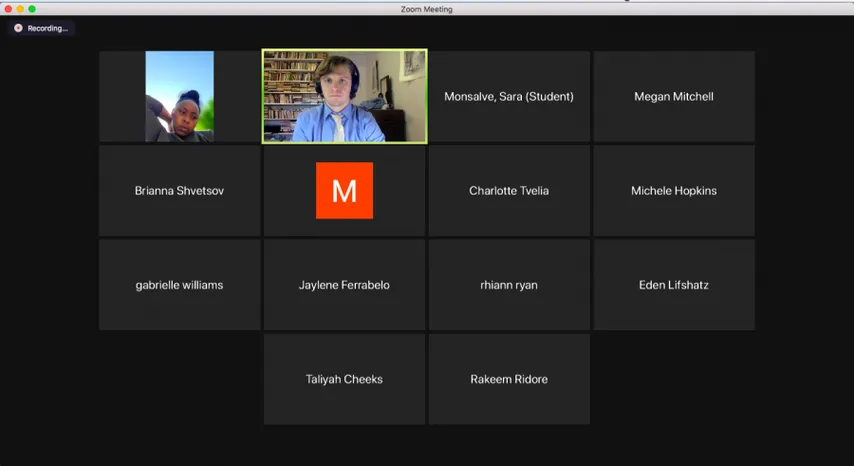
Incident: As an interviewee on a Zoom call, I know the importance of arriving on time, wearing professional clothing, sitting up straight, looking into the camera and answering questions clearly. In fact, during this particular interview, that’s exactly what I did. I had already completed a telephone interview, and this was a crucial next step in the interview process for me. However, the exchange became awkward and uncomfortable with one click. As soon as my interviewer entered the room, she turned her camera OFF. As we moved through the interview, I stared uncomfortably into a screen with my picture next to a black box and tried to give thoughtful answers, knowing that my interviewer likely wasn’t paying attention. My instincts were correct. After each of my answers, she allowed a long pause before she would ask the next question, never commenting on my answer or even on my questions. It was clear she hadn’t even heard what I’d said and was wasting my time.
Meeting on a level playing field is not only polite, but also displays a high level of professionalism. If you are meeting with a client, coworker, interviewee or other colleague on Zoom and are not able to have both your audio AND video engaged, then you are not prepared for the meeting. Video conferencing allows us to fully interact remotely; choosing to turn off one of those options is akin to turning around in your desk chair and facing the wall. It’s not only weird, but downright rude. If you find yourself in a situation where you feel you need to turn off audio or video, consider rescheduling or delaying the meeting until you can make yourself fully present and available in the meeting.
Put down the instruments

Incident: As I entered the Zoom room, I found the gentlemen (for me, it’s always been a man on this one…sorry guys) playing the air guitar. He was really going at it, and I wasn’t sure if I should interrupt his solo or just wait it out. I waited it out. For several painstaking minutes, I watched as he played along to the soundtrack in his head, or possibly his earbuds and neglected to even acknowledge my presence. When the song was over, he began the meeting, but much to my horror continued to rock out anytime he wasn’t speaking, AKA when I was! Just when I thought it couldn’t get worse, he added in an imaginary drum set, and I had to endure those solos as well!
One thing I love about virtual conferencing is that we are allowed to feel like ourselves in the comfort of our homes while also being productive. However, we must remember to stay on task and behave like the adults that we are. Depending on your field of expertise, playing the air guitar might be perfectly acceptable during a conference call, but otherwise it’s time to put down the instruments and focus on the task at hand until you have a break.
No mystery visitors allowed

Incident: A client of mine had asked me to meet him on Zoom for a meeting concerning a new project he was starting. All of our interactions previously had been via email, and this was our first time “meeting” in person. He got right to the point at the start of the meeting and asked detailed questions about my opinions on the project. Without any warning a new window appeared on the screen, and I suddenly realized that someone else had joined our meeting. The interviewer never acknowledged the addition and continued to ask questions in a rapid-fire manner. I did my best to keep up and answer his questions, all while the new person remained “in the room.” The new guy didn’t seem to be paying attention to the meeting at all, almost as if he didn’t realize he was even on. Awkward as it was, I decided to just keep going with our discussion. After about 20 minutes, the mystery man suddenly piped in with a strong opinion on something we were discussing! It wasn’t until I took a long pause that the interviewer finally introduced the man as a very prominent figure in the company!
Imagine being engaged in a 1:1 meeting in a conference room when a new person enters, behaves in an aloof manner, and suddenly jumps in with a strong opinion. Its no less awkward when it happens via Zoom! First, if you’re expecting a coworker to join the call at some point, let the others know ahead of time and secondly, always introduce them upon entry.
Point the camera at your face
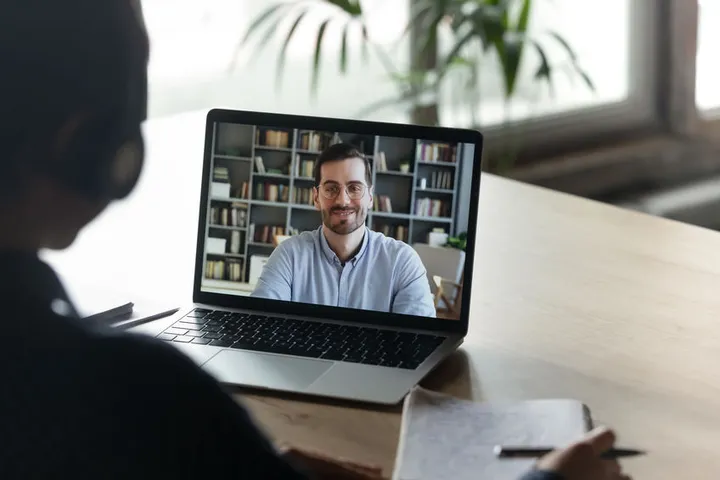
Incident: I met with this particular client via Zoom because they weren’t always clear via email about their needs, but once I met them “in person” I realized that it wasn’t an email issue. On this day, I was prepared and ready for my meeting. As usual, I sat up straight and looked into the camera. My phone was on silent and positioned outside of my visual field and I closed all windows on my screen except those that were relevant to our upcoming discussion. My colleague, on the other hand, chose to take a different approach to our call that day. He arrived in the meeting with his chair reclined and his feet up on the desk. He spoke to me throughout the discussion but never looked towards his camera and it was clear that he was doing other tasks on his computer (and even texting and taking some calls from his phone) during our 40-minute meeting. He was so distracted that I had to stop and ask him, “Was that comment for me or someone else” several times!
This should go without saying, but giving your full attention to a Zoom meeting is just as important as being present at an in-person conference. I’ve experienced clients playing computer games, working, texting, taking calls, talking with family who entered the room, playing with their pets, and even driving during our meetings. While it’s easy to get distracted, be professional and focus on the conversation at hand. Also, put your webcam near your face-- it shouldn’t be pointing at the side or back of your head.
Crash on your own time

Incident: Another nightmare interview gave me Blair Witch Project vibes as I struggled to even watch the interviewer’s screen. During our entire discussion, he was driving. Not only was he driving, but he was driving through the city with many turns and bumps along the way. It was extremely disorienting! To make matters worse, he didn’t have a phone securement device of any kind, so he kept trying to balance his phone in different areas of his vehicle, but it fell with each turn or bump, and he then spent several minutes fishing it from between seats or off of the floor (which was covered in garbage)!
Move over texting and driving because Zooming and driving is the newest way to live on the edge. This one is wrong for so many reasons! First, it’s extremely dangerous! I don’t particularly want to be “in” your vehicle with you when you meet your untimely death because you’re trying to meet with me while driving 90 down the highway. I also hate to think of those around me who are doing the same when I’m driving! The practice is unprofessional, annoying and gives those who have the unfortunate privilege of being on the other end of the Zoom call major motion sickness as your phone weaves and bounces with the road. If you’re constantly on the go and need to teleconference, just pull over. It’s perfectly acceptable to attend the call while parked safely but sitting in your car.
What it all comes down to is that we should be treating our zoom sessions just like a conference room and maintaining an appropriate level of professionalism. Arrive on time, dress appropriately (pajama pants are totally appropriate as long as you don’t plan to stand up), eliminate distractions, turn your camera on and point it at your face, put down the pretend instruments, pull over and pay attention.
Related Posts